
How to View Activity Logs in the Back Office
The Activity Logs provide a trail of actions performed within the back office. It allows you to track what changes were made, who performed them, and when they occurred.
Go to the Activity Log page
Navigate to the Activity Log section in the back office menu. You will see a chronological list of actions performed by users across the platform.
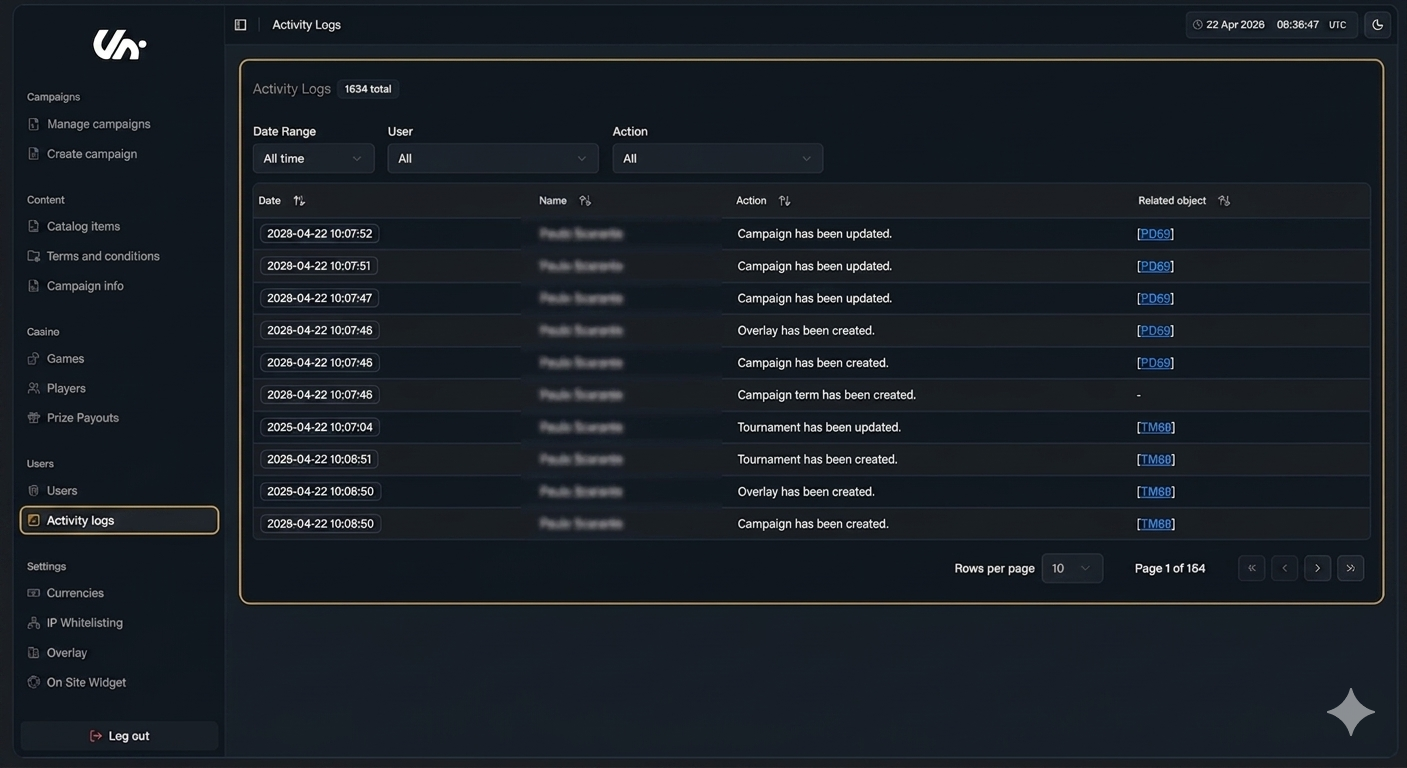
Tracked Actions |
|---|
Campaign has been created/updated. |
Campaign limit group has been created/updated. |
Campaign term has been created/updated. |
Gallery category has been created/updated. |
Game has been updated. |
Group has been updated. |
Jackpot has been created/updated. |
MFA Whitelisted IP has been created/updated. |
Mission deposit task has been created/updated. |
Mission deposit task range has been created/updated. |
Mission gameplay tasks have been created/updated. |
Mission has been created/updated. |
Mission login task has been created/updated. |
Mission turnover task has been created/updated. |
Operator settings have been updated. |
Overlay has been created/updated. |
Photo has been created/updated. |
Player selection has been created/updated. |
Players have been imported. |
Prize has been created/updated. |
Tournament gameplay tasks have been created/updated. |
Tournament has been created/updated. |
Tournament login task has been created/updated. |
Tournament turnover tasks have been created/updated. |
Users have been created/updated. |
User has been logged in. |