
How to Add a User to the Back Office
The Users page allows you to create and manage back office user accounts.
How to add a new user
1
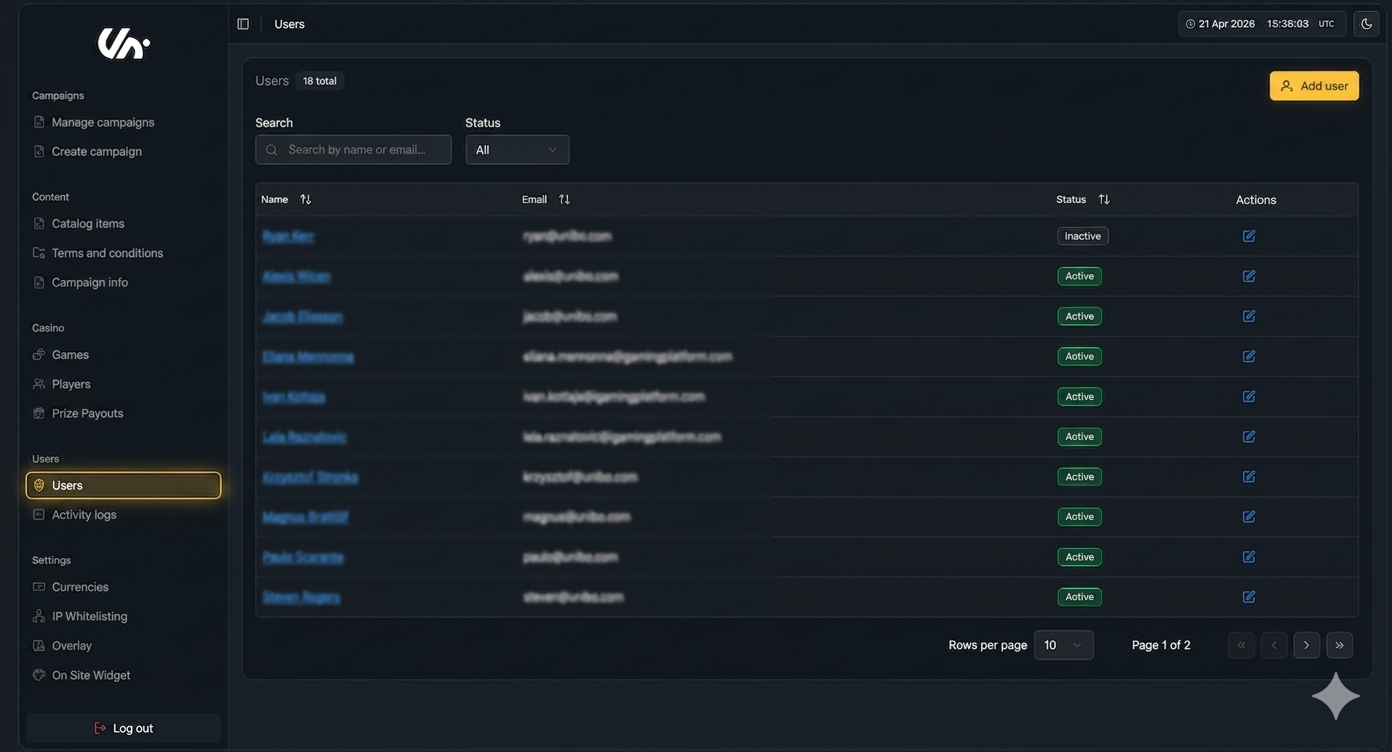
Go to the Users page
Navigate to the Users page under the User section in the main menu to access all user management options.
2
Enter user details
Fill in all required information for the new user account.
3
Confirm user creation
Click Create User to finalise and add the new user to the system.
What happens next
Once the user is created:
They will automatically receive an email invitation.
They must set their password via the email link.
After setup, they can log in to the back office.
Related Topics
For step-by-step guidance on removing users, see How to Remove a User from the Back Office
Was this helpful?
Was this helpful?