
The jackpot must be paid out before it reaches a set maximum value. As it approaches this limit, the chance of winning increases until it is triggered within that range.
How to Create a Jackpot Campaign
A Jackpot Campaign lets you add promotional jackpots to any set of games, giving players a chance to win big prizes on any bet.
Every qualifying bet triggers a background jackpot draw. Higher bets increase the chance of winning, and the jackpot keeps growing over time based on the contribution settings.
It keeps gameplay simple, but adds that extra layer of excitement with the chance of a big win at any moment.
1
Create Campaign
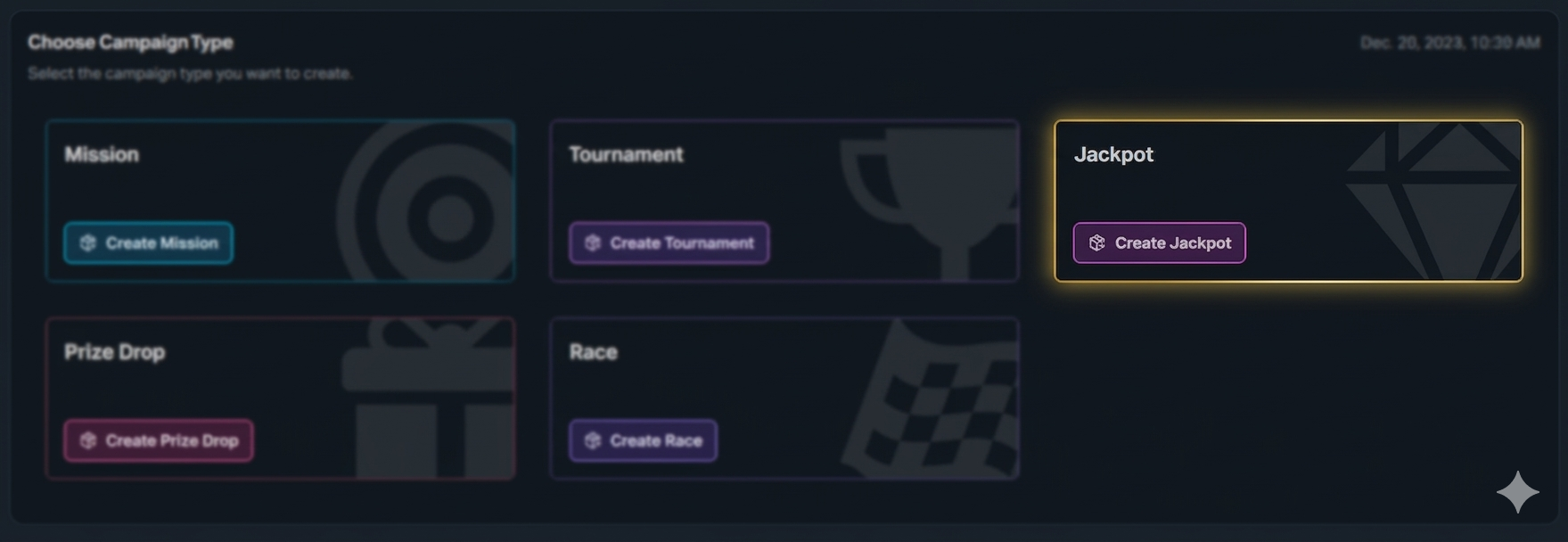
Click the button "+ Create Campaign" and choose the type 'Jackpot'.
2
General Settings
Set the campaign’s start and end dates, select games, and define bet requirements. The jackpot campaign can only start at the beginning of each hour (HH:00). For more information about campaign General Settings, click the button below.
3
Jackpot Contribution
A percentage of each player’s bet is added to the jackpot pool. Players are not charged anything extra; this is only a calculated contribution, not a deduction from their balance.
4
Select Jackpot Type
Click '+ Add Jackpot', then choose the type of jackpot you want to create. This defines how the jackpot behaves, how it grows, and how it is won. Different jackpot types are designed for different campaign goals, so pick the one that best fits your setup and player experience.
Basic settings:
Name: The label shown to players (e.g. Daily, Mega, Rapid)
Jackpot Share Distribution: Defines how contributions are split across multiple jackpots in the same campaign
Example:
If a player places a €50 bet and the jackpot contribution is 0.20%, the total contribution is:€50 × 0.20% = €0.10
If you have three jackpots with the following distribution:
Mini → 20%
Major → 30%
Mega → 50%
The €0.10 is split as:
€0.02 to Mini
€0.03 to Major
€0.05 to Mega
This defines how each jackpot grows over time.
Start Value: The amount the jackpot starts from and resets to after being won
There are 3 jackpot types you can choose from, depending on how you want the jackpot to be triggered:
Amount Jackpot
Timed Jackpot
The jackpot must be paid out within a fixed time window (hourly, daily, or weekly). The chance of winning increases over time, but it will always trigger before the deadline.
Progressive Jackpot
The jackpot is triggered dynamically based on a probability model, with two controls defining its behaviour: an average payout value and a maximum cap that forces a win if not triggered earlier.
For a detailed explanation of each jackpot type and how they work, click the button below:
A maximum of 4 jackpots can be added per campaign.
5
Optional Settings
Boosted Jackpot Time
You can increase the chance of winning during specific time periods to drive activity.
Supports daily, weekly, monthly, or custom schedules
Can be applied to full days or specific time ranges
Example:
You set a 20% boosted chance for a jackpot every day from 12:00 to 13:00.
During this time window, players have a higher probability of winning compared to normal gameplay hours. Outside of this period, the jackpot returns to its standard winning chance.
Jackpot Notification
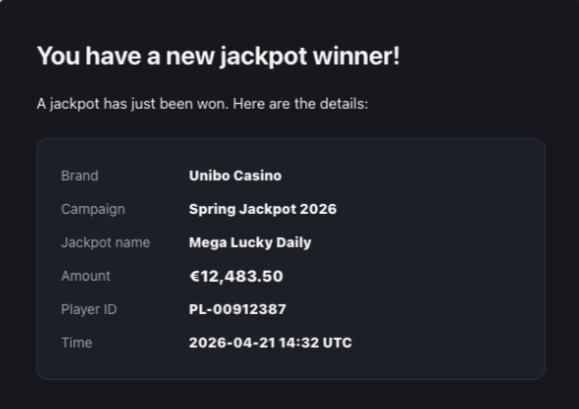
Enable this setting to receive a notification when a jackpot payout is completed. Once triggered, you’ll receive an email confirming the payout (see example below).
6
Player Selection
Define who sees your campaign. You can segment by activity, demographics, engagement, and more. For more information about how to add players to a campaign, click the button below.
7
Content
Include campaign details, visuals, and terms and conditions.
For more information about how to add content to a campaign, click the button below.
8
Overview
Double-check all settings, content, and player targeting to ensure the campaign is ready and publish it.
In-Game Widget
After the campaign is published and activated, players will see the overlay displayed as follows.
Was this helpful?
Was this helpful?