
How to Add Players to a Campaign
When creating or editing a campaign, you can configure which players are included under Player Selection.
This step defines the pool of eligible players for the campaign. You can invite all players, choose specific players or add players from an external CSV list.
Select All Players
To include every registered player in the campaign, enable 'Select All Players'. All existing players are immediately eligible once the campaign starts.
Filter Builder
Use filters to include or exclude players based on country, segment, currency, VIP level, affiliate, etc.
How Filters Work (AND vs OR)
Filters can be combined to refine your player selection.
AND logic (within the same filter): When you select multiple values inside a single filter, only players who match all selected values will be included.
Example:
Country = United States
Currency = USD
→ Only players from the United States with USD accounts will be included.
OR logic (across different filters): When multiple filters are applied from different categories, players who match any of the filters will be included.
Example:
Country = United States
TAG = VIP Gold
→ Players who are either in the United States OR have VIP Gold as a tag will be included.
Note: Available filters may vary depending on your platform integration.
Examples of Available Filter Options:
Group | Type | Condition | Value |
|---|---|---|---|
Target Group | Market | Is / Is Not | All Player Countries |
Target Group | Tags | Is / Is Not | All Player Tags |
Target Group | Currency | Is / Is Not | All Available Currencies |
Target Group | Customer State | Is / Is Not | Active, Blocked, Frozen, Inactive |
Target Group | Affiliate Name | Is / Is Not | All Affiliate Names |
Target Group | Fast Track Segment | Is / Is Not | All Fast Track Segments |
Date | Registration Date | Before / After / Between | Date or date range |
Campaign | Specific Campaign | - | Joined, Invited, Won a Prize, Completed, Not Completed |
Manual UserID Entry
Use this method when you need to add specific players individually, such as for testing or updating an existing selection.
Click “Add Players” and enter the UserID(s) manually.
Bulk Import Players
Use this method when you need to add a specific group of players that isn’t defined by filters or segments.
CSV File Requirements:
The file should contain one column.
Header (first row):
player_idRemaining rows: list of player IDs, one per row.
File format must be .csv
player_id |
|---|
10145 |
10122 |
10084 |
10153 |
... |
Additional Settings
Auto-add Eligible Players
When enabled, any player who meets the campaign’s criteria, like registration date, segment, or behaviour, is automatically included in real time.

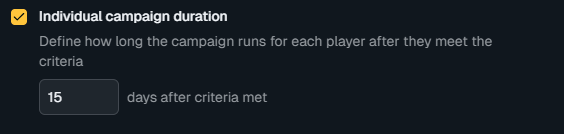
Individual Campaign Duration
Limits how long the campaign is available per player after meeting criteria.
Related Topics
For step-by-step guidance on excluding a player from a campaign, see How to Exclude Players from a Campaign.