
How to Create a Race Campaign
A Race Campaign is a leaderboard-based competition where players aim to collect the highest number of points within a fixed number of spins.
Each player gets one attempt only; once their spins are used, their score is final.
Race campaigns are effective when you want short, high-intensity engagement bursts.
They work well for:
Driving immediate activity during specific time windows
Creating urgency through limited spins
Ensuring fair competition (equal number of spins per player)
Increasing engagement without requiring long campaign durations
Create Campaign
Click the button "+ Create Campaign" and choose the type 'Race'.
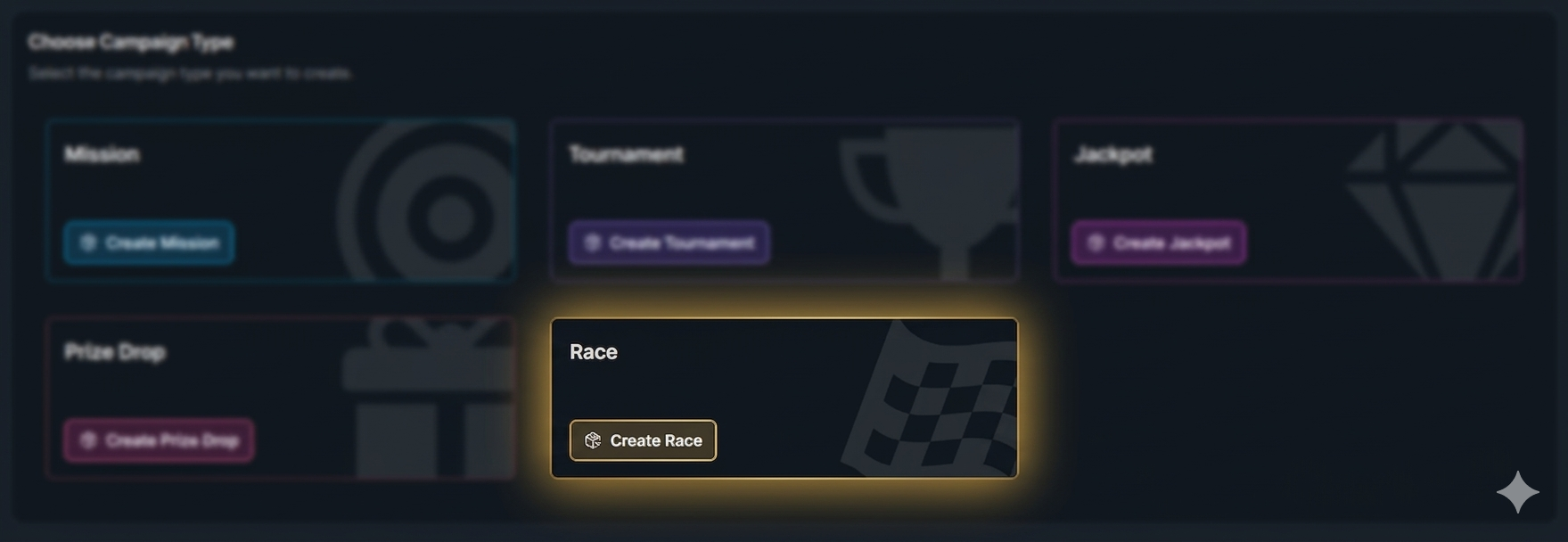
General Settings
Set the campaign’s start and end dates, select games, and define bet requirements. For more information about campaign General Settings, click the button below.
Race Preferences
Set the maximum number of spins that will count toward points in the Race.
This defines how many spins per player are included in the final leaderboard score. Once the limit is reached, any additional spins won’t count toward points.
Make sure this value matches the campaign duration and expected player activity so the race stays balanced.
Example:
If you set the limit to 250 spins, and a player plays 300 spins during the campaign, only the first 250 spins will be used to calculate their points.
Race Prizes
Configure the leaderboard prizes by defining rewards for each winning position or position range. This setup determines the total prize pool and how many players will receive rewards.
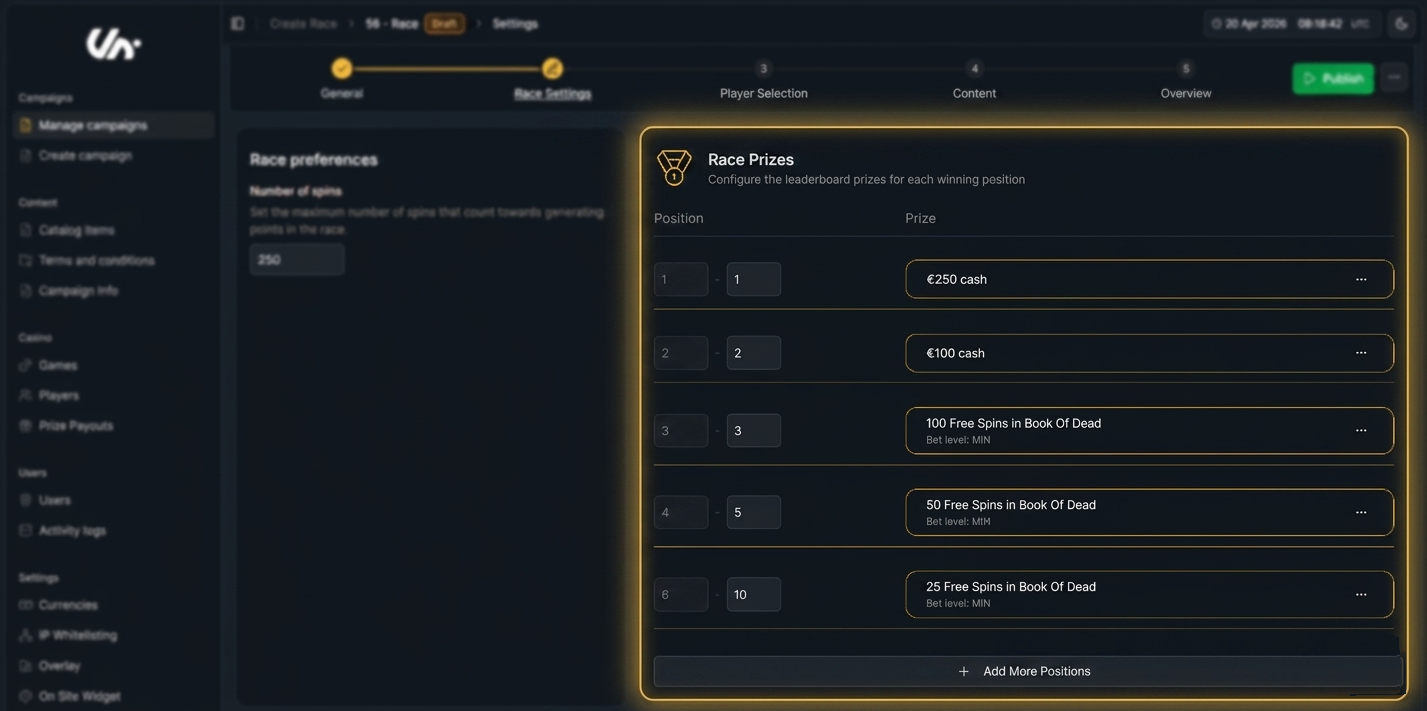
Example:
1st Place: €250 Cash
2nd Place: €100 Cash
3rd Place: 100 Free Spins
4th-5th Place: 50 Free Spins each
6th-10th Place: 25 Free Spins each
Race Tasks
In this step, you define the point structure by setting the actions that award points to players during the Race.
Turnover Task – track total bet amount placed.
Play Task – track the number of spins completed.
Single Wins Task – track the total number of wins.
Win Multiplier Task – track wins that reach at least X times the bet amount.
Wins in a Row Task – track consecutive wins.
To add a task and configure its details, click the “Create New Race Task” button.
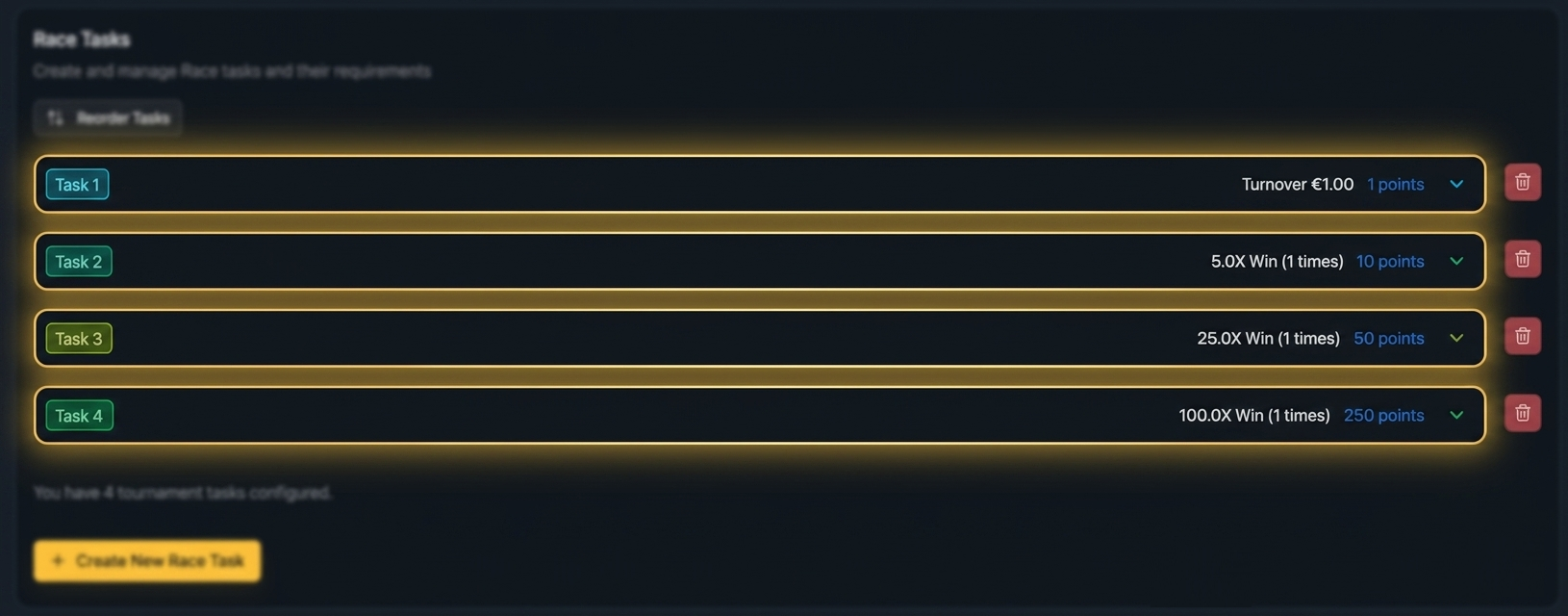
Example Point Structure:
Turnover: 1 point for every €1 wagered
Win 5x Bet: 10 points
Win 25x bet: 50 points
Win 100x bet: 250 points
Player Selection
Define who sees your campaign. You can segment by activity, demographics, engagement, and more. For more information about how to add players to a campaign, click the button below.
Content
Include campaign details, visuals, and terms and conditions. For more information about how to add content to a campaign, click the button below.
Overview
Double-check all settings, content, and player targeting to ensure the campaign is ready and publish it.
In-Game Widget
After the campaign is published and activated, players will see the overlay displayed as follows.