
How to Create a Highest Win Multiplier Tournament
A Highest Win Multiplier Tournament Campaign is set up as a competition where players aim to achieve the highest single win multiplier during gameplay. The leaderboard ranks players based on their best multiplier hit, and the player with the highest multiplier at the end of the campaign wins.
For example, if a player places a €1 bet and wins €50, they achieve a 50x multiplier. If another player hits a 100x win, they will rank higher on the leaderboard.
Create Campaign
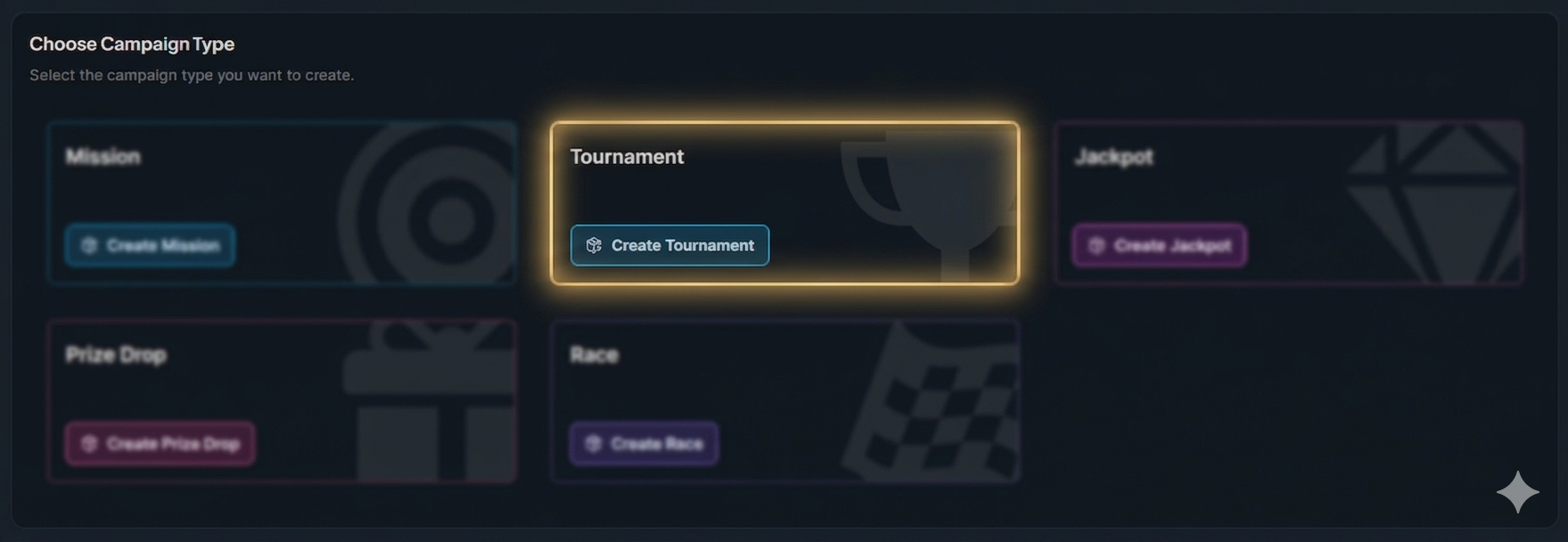
Click the button "+ Create Campaign" and choose the type 'Tournaments'.
General Settings
Set the campaign’s start and end dates, select games, and define bet requirements. For more information about campaign General Settings, click the button below.
Tournament Settings
In Tournament Settings, select Highest Win Multiplier as the tournament type.
Tournament Prizes
Configure the leaderboard prizes by defining rewards for each winning position or position range. This setup determines the total prize pool and how many players will receive rewards.
Example: Top-heavy structure (rewards focused on top performers)
Position 1: €3,000
Position 2: €2,000
Position 3: €1,500
Positions 4–5: €750 each (€1,500 total)
Positions 6–10: €200 each (€1,000 total)
Positions 11–20: €100 each (€1,000 total)
Total: €10,000 budget
Player Selection
Define who sees your campaign. You can segment by activity, demographics, engagement, and more. For more information about how to add players to a campaign, click the button below.
Content
Include campaign details, visuals, and terms and conditions. For more information about how to add content to a campaign, click the button below.
Overview
Double-check all settings, content, and player targeting to ensure the campaign is ready and publish it.
In-Game Widget
After the campaign is published and activated, players will see the overlay displayed as follows.